MoveWith vs Focusmate: Body Doubling for Fitness vs Desk Work
Emma · May 4, 2026 · 17 min read
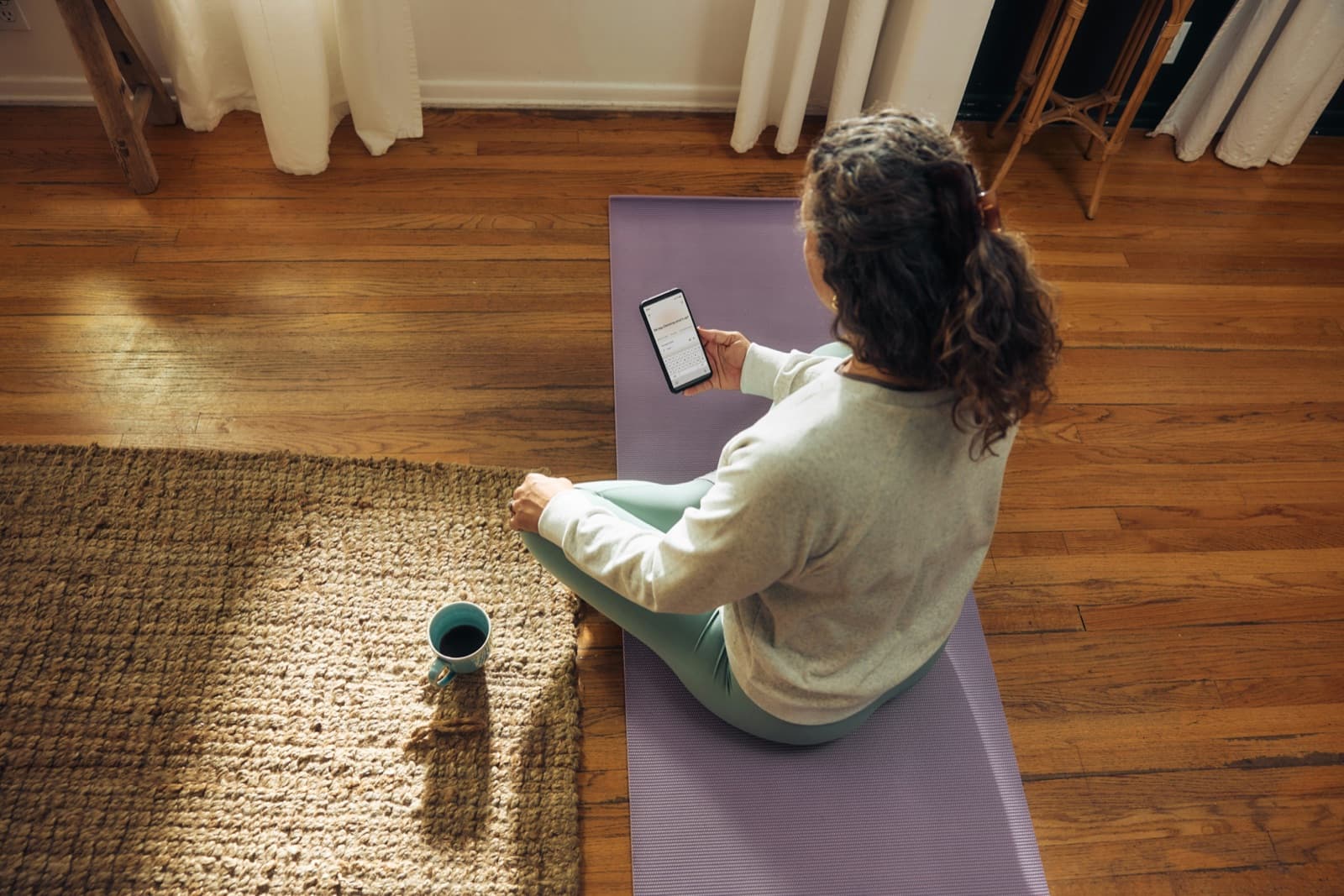
If you've spent any time in the body doubling world, Focusmate is probably the first app you tried, and for good reason. It's been around since 2016, it works exactly the way it says it does, and for desk work it is still the closest thing to a default. I use it. I recommend it. The reason MoveWith exists is not that Focusmate did something wrong, it's that body doubling for fitness turned out to be a fundamentally different product that nobody had built yet.
This post is the MoveWith vs Focusmate comparison I wish someone had written for me when I was trying to figure out why my Focusmate workouts felt so off. It's an honest read on what each product is for, where each one shines, and how to pick if you're trying to decide between them (or, more often, how to use them together).
Quick comparison
| Focusmate | MoveWith | |
|---|---|---|
| Best for | Desk work, writing, admin, studying | Workouts, PT exercises, home fitness |
| Default session expectation | Both partners doing focused desk work | Both partners exercising |
| Session length | 25, 50, or 75 minutes | 25 minutes |
| Format | 1-on-1 video | 1-on-1 video |
| Platform | Desktop / web | iOS app |
| Free tier | 3 sessions per week | 1-week free trial |
| Paid pricing | From $8/month (billed yearly) for unlimited | $0.99/week, plus earn free weeks by showing up |
| Founded | 2016 | 2026 |
What Focusmate is genuinely great at
Focusmate is one of the most reliable body doubling experiences on the internet for one specific reason, which is scale. They have enough users that you can almost always find a session at a time that works for you, including the awkward in-between hours when most of us actually need accountability the most. The matching is fast, the interface is minimal, and the protocol (share what you're working on at the start, do your thing, share how it went at the end) is well-designed and well-understood by the community.
The product also handles the boring infrastructure of body doubling really well. The video quality is solid, no-shows are rare because they have a strike system, and the whole thing is built for people who want to sit down and do focused work without thinking too hard about logistics. If your problem is writing reports, getting through a backlog of emails, doing taxes, finishing a thesis chapter, or any task that involves a chair and a screen, Focusmate is still where I would tell you to start.
There's also the price-and-commitment thing. The free tier gives you three sessions per week, which is enough to figure out whether body doubling clicks for you before you spend a dollar. Paid plans start around $8 a month if you pay annually, which is one of the better values in the productivity-tools world. You can read more about how the broader space has grown in our roundup of the best body doubling apps in 2026, but Focusmate is the canonical entry point and that's earned, not lazy.
Where Focusmate runs into friction for fitness
If you've ever tried to use Focusmate for fitness, you already know the issue I'm about to describe. Focusmate has a "Moving" task mode for sessions where you're not at a desk. You can use it for cooking, errands around the house, or in theory exercising. I tried using this for workouts for a year. The product technically supports it, and Focusmate's own documentation acknowledges that movement-based tasks are a real use case. But in practice, the audience and the social norms of the platform are built around desk work, and that's where the friction starts.
When you book a session marked "Moving," the matching algorithm tries to pair you with someone else also marked Moving, but the supply on that category is much thinner than the desk work side. Most of the time I'd get matched with someone doing desk work. If I was lucky, I'd get matched with someone who'd selected Moving because they were doing dishes, prepping dinner, or organizing a closet, which are all valid uses of body doubling but are not the same thing as exercising. I'd be in workout clothes, mat on the floor, ready to do my PT exercises, and my partner would be standing at a counter chopping vegetables. In a year+ of using Moving mode, I was not once matched with someone else working out.
That mismatch sounds small but it matters more than you'd think. The long and short of it is that I always felt too awkward to start working out and would start doing desk work or cleaning my office (to match whatever my partner was doing) instead.
Body doubling works because of a specific psychological mechanism (Zajonc, 1965), which is that the presence of another person doing a similar task reduces the activation energy required to start. The "similar task" part is doing a lot of the work in that sentence. When both people are typing, the parallel activity creates a shared context that makes the accountability feel automatic. When one person is on the floor doing a glute bridge and the other person is washing a pan, the shared context evaporates and what's left is two strangers on a video call doing unrelated things, which is just an awkward Zoom.
I wrote about this in more depth in the pillar post on body doubling for fitness, but the short version is that fitness is a fundamentally different context from desk work. You're in different clothes, you're moving around, you might be sweating or breathing hard or doing positions that feel more vulnerable than typing. The default expectation of the room has to be that everyone here is exercising, otherwise the social facilitation effect (the whole reason this works) gets diluted by the mismatch.
The other piece is that Focusmate is desktop-first. For desk work that's perfect, because desk work happens at a desk. For workouts it's the opposite of where you actually are. You're on your living room floor, you're in the kitchen with your kettlebell, you're in a hotel room on a trip, and the most natural device in any of those settings is your phone, not a laptop perched somewhere precarious. None of this is a knock on Focusmate. They built a brilliant product for what it's designed to do. It's just that fitness was never the design target, and trying to retrofit it onto a desk-work platform produces exactly the kind of friction you'd expect.
What MoveWith does differently
MoveWith is body doubling specifically for fitness, which means a few things that are obvious in retrospect but that change the experience meaningfully when you actually use the product.
The first is that both people on the call are exercising. That's the default expectation, the whole basis of the matching, and the entire reason the product exists. You don't have to wonder if your partner is going to be at a desk or doing dishes, because nobody books a MoveWith session to do dishes. Everyone you'll be matched with has the same context. They're in workout clothes, they're at home or in a hotel or wherever they exercise, and they're about to do their thing. That shared context is what makes body doubling for fitness actually feel like body doubling instead of a video call with awkward dynamics.
The second is that sessions are 25 minutes. Not because longer can't work for some people, but because for most home workouts and PT routines, 25 minutes is the sweet spot. It's long enough to be meaningful, short enough that "I don't have time today" stops being a credible excuse, and it lines up with the actual structure of what most people do at home, which is a focused block of exercises rather than a 90-minute gym session. There is also the option to do two back-to-back sessions to have a longer workout.
The third is that the platform is iOS-first. Your phone goes where your workout goes, which is the whole reason this matters. You can prop it on a yoga block, lean it against a couch, or sit it on a kitchen counter while you do PT exercises in front of the sink. I specifically built the picture-in-picture feature for the first launch because I wanted to pull up notes from my PT on my phone while keeping a smaller view of my partner on screen. Body doubling for fitness is completely different from desk work, and building for that on phones first lets the product actually live where the workouts live.
The fourth is the incentive model. Most accountability apps work on the punishment side (miss a day and you lose your streak, your reminders escalate, you feel the guilt drip). MoveWith goes the other way. Complete three sessions in a week and your next week is free. The math is simple, and the philosophy is that the product should reward showing up rather than punish you for missing. If body doubling works because another person is waiting for you, then the surrounding incentives should support that, not stack guilt on top of it.
You can read the full story of why I built MoveWith in the pillar post, but the practical version is that everything in the product is tuned for people who already understand body doubling and want it to work for the part of their lives that involves moving instead of typing.
Side-by-side: what a session actually looks like
A Focusmate session looks like this. You log in on your laptop, you book a 25, 50, or 75-minute slot, you get matched with another person about a minute before the session starts. You both turn on video and audio, you each say what you're working on ("I'm finishing a draft of a blog post," "I'm answering email I've been avoiding for two weeks") and then you mute, get to work, and check in at the end with a quick "I got most of it done, you?" It's clean, it's efficient, and it has a faintly professional feel that suits the work being done.
A MoveWith session looks like this. You open the app on your phone, you book a 25-minute slot, you get matched with another person who's also exercising. You both turn on video, you say what you're doing ("PT exercises for my shoulder," "30-minute Pilates flow," "Zone 2 on the bike") and then you mute, get going, and check in at the end with a "that was a good one" or "I made it through all the exercises for the first time in two weeks." The vibe is more living-room than office, more steady-friend than meeting, and you're both visibly doing the same kind of thing rather than coexisting in different worlds.
Neither one is better in the abstract, they're shaped for completely different activities. The point is that the texture of the session matters, and the texture of a desk-work session does not transfer onto a workout, no matter how well-built the underlying platform is.
MoveWith vs Focusmate pricing, fairly
Focusmate's free tier of three sessions per week is one of the most generous starting points in the body doubling space, and that's a real advantage. If you're not sure body doubling works for you, you can find out at zero cost in a week. Paid Focusmate is $8 a month if you pay yearly, $12 a month if you pay monthly, and you get unlimited sessions.
MoveWith is a one-week free trial and then $0.99 a week, which works out to roughly $4 a month, and you can earn free weeks by completing three sessions in seven days. So in practice, if you're consistent, you can spend less than $1 a month for a long stretch. If you're inconsistent and the product doesn't drive enough sessions to earn free weeks, then you're paying for something that isn't earning its keep and hopefully that mismatch is enough to either nudge you to book a session or to cancel the subscription. I believe this is the right way to align incentives.
The two pricing models reflect the products. Focusmate is built for unlimited deep work blocks, so unlimited makes sense. MoveWith is built for a sustainable habit of a few sessions a week, so a low base price plus rewards for showing up makes sense. Neither is a rip-off, they're just calibrated for different use cases.
Who should use which
If your problem is desk work, start with Focusmate. The free tier is enough to validate whether body doubling helps you, the product is mature, the matching is fast, and the longer session lengths support deep work blocks better than anything else in the category. If you find yourself constantly trying to use Focusmate's Moving mode for actual workouts, that's the signal that you've outgrown what Focusmate is designed to do, not a reason to keep forcing it.
If your problem is starting workouts, start with MoveWith. This is the case where people most often end up searching for a Focusmate alternative, because they tried Focusmate for fitness, hit the same friction described above, and started looking for something purpose-built. This is especially true if you're rehabbing an injury and your physical therapist gave you a home exercise program you keep skipping. I wrote a whole post on body doubling for PT and home exercise compliance because that audience is the one I relate to most. It's also true if you have ADHD and body doubling for desk work has been the single most effective tool you've found, because the same mechanism applies to fitness and the only thing missing was a platform built for it.
If your problem is both, use both. The two products do not compete with each other in any meaningful way. I have a Focusmate session most weekday mornings to handle email and writing, and I have MoveWith sessions in the afternoons for PT exercises. The total cost of doing this is less than a single gym membership, and the combined effect on actually getting things done is bigger than either tool alone.
The category, not the brand
Body doubling as a category is bigger than any one app, and that's the most important thing to take away from a comparison like this. There's body doubling for desk work, body doubling for cleaning and chores, body doubling for deep creative work, and body doubling for fitness. Each one needs a different product because the activity, the social norms, the device you're on, and the texture of the session are all different. The mistake is assuming one app should do all of this, the fix is recognizing that the underlying mechanism is the same and the application is what changes.
If you're new to body doubling entirely, our explainer on what body doubling is and how it works is a good place to start. If you're already a Focusmate user looking for something that works for the workout side of your life, MoveWith is the answer to a question you've probably already asked yourself, which is whether there's a version of Focusmate for fitness that's actually built for fitness. And if you're trying to figure out which of the dozen-plus body doubling apps and Focusmate alternatives fits your situation, the 2026 roundup walks through every option, what each one is best for, and how to pick.
Frequently asked questions
Is Focusmate good for working out?
Focusmate is great for desk work, and it has a "Moving" task mode that technically supports workouts, but the audience and the social norms of the platform are built around desk work. In a year of using Moving mode, I was not once matched with someone else exercising. Most of my matches were doing focused work, and the ones who'd selected Moving were usually doing dishes or cooking. If you're looking for a Focusmate for fitness setup that actually feels like body doubling for workouts, the answer is that Focusmate wasn't designed for that use case and a purpose-built product fits better.
What's the best Focusmate alternative for fitness?
MoveWith is the only body doubling app I know of where both people on the call are exercising by default. That's the whole point of the product. Other Focusmate alternatives like Flow Club, FLOWN, and Deepwrk are excellent for desk work and group coworking, but they're not built for fitness either. If your specific need is a virtual workout partner, MoveWith is the closest direct match. The 2026 roundup of body doubling apps covers the full landscape if you want to compare.
Can you use Focusmate's Moving mode for exercise?
Technically yes, in practice rarely. The Moving mode supply is much thinner than the desk work side of the platform, and the people who select it are usually doing chores, errands, or cooking rather than working out. If you've tried it for exercise and felt like the matching never quite landed, that's not a configuration issue, it's the supply curve of the platform reflecting what most users are there to do.
Is MoveWith free?
MoveWith has a one-week free trial and then costs about a dollar a week, with the option to earn free weeks by completing three sessions in a week. If you're consistent, your effective cost stays low. The trial is enough time to see whether body doubling for fitness actually changes your workout adherence the way it has for me.
Can you use MoveWith and Focusmate together?
Yes, and a lot of people do. The two products solve different problems and don't compete. I personally have a Focusmate session most weekday mornings to handle email and writing, and I have MoveWith sessions in the afternoons for PT exercises. The combined cost is less than a single gym membership, and the two stack well because each one is purpose-built for its context.
Is there a Focusmate for fitness?
That's exactly what MoveWith is. Both people on the call are exercising, sessions are 25 minutes, the app is iOS-first because your phone is where your workout is, and the incentive model rewards showing up rather than punishing missed days. If you've used Focusmate for desk work and wished there was a fitness version, MoveWith is built for that use case specifically. You can get MoveWith on the App Store to try it.
Try MoveWith
MoveWith is live on iOS. If body doubling has changed how you work and you want it for your workouts, get MoveWith on the App Store.
If you're already a Focusmate fan and this post resonated, the best compliment you can pay either of us is to actually use whichever tool fits the task you're trying to start. The whole point of a MoveWith vs Focusmate comparison isn't that one wins, it's that body doubling works because another person is waiting for you, and the only thing that's ever changed is the context. The right product for the right context is what makes showing up easier.
Frequently asked questions
Is Focusmate good for working out?
Focusmate is great for desk work and has a Moving task mode that technically supports workouts, but the audience and social norms are built around desk work. Most Moving mode matches are doing chores or cooking, not exercising. A purpose-built fitness body doubling app like MoveWith fits better for workouts.
What's the best Focusmate alternative for fitness?
MoveWith is the only body doubling app where both people on the call are exercising by default. Other Focusmate alternatives like Flow Club, FLOWN, and Deepwrk are excellent for desk work but aren't built for fitness.
Can you use Focusmate's Moving mode for exercise?
Technically yes, but in practice rarely. The Moving mode supply is much thinner than the desk work side, and the people who select it are usually doing chores, errands, or cooking rather than working out.
Is MoveWith free?
MoveWith has a one-week free trial and then costs about a dollar a week, with the option to earn free weeks by completing three sessions in a week. If you're consistent, your effective cost stays low.
Can you use MoveWith and Focusmate together?
Yes. The two products solve different problems and don't compete. Many people use Focusmate for desk work in the mornings and MoveWith for workouts in the afternoons. The combined cost is less than a single gym membership.
Is there a Focusmate for fitness?
That's exactly what MoveWith is. Both people on the call are exercising, sessions are 25 minutes, the app is iOS-first, and the incentive model rewards showing up rather than punishing missed days.
MoveWith is body doubling for fitness.
Get matched with a real person and actually do your workout.
Get on the App StoreMore from the blog
Peloton app for accountability: what it's great at and what it misses
Using the Peloton app for accountability? It's excellent for one kind of accountability and silent on the other. An honest pros and cons, especially without a bike.
May 14, 2026 · 11 min read
MoveWith vs FLOWN: Body Doubling for Working Out vs Group Deep Work
FLOWN is one of the best facilitated body doubling apps for deep work. MoveWith is body doubling for working out. Here's an honest comparison and how to pick.
May 5, 2026 · 18 min read
Exercise for ADHD: Why It's So Hard to Start, and What Actually Helps
Exercise for ADHD is one of the best non-drug treatments there is, and one of the hardest to start. Here's the fix, and the research behind it.
June 2, 2026 · 6 min read